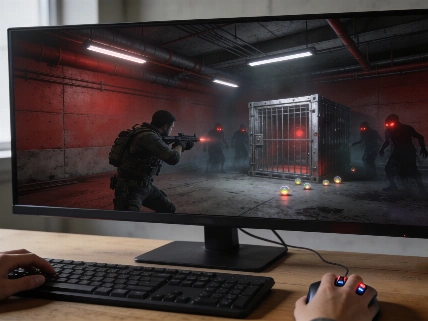


CONTROL Resonant's Assist Mode lets players change individual combat settings without blocking content, saved progress, Trophies or Achievements. These settings can make a first playthrough more manageable without removing the pressure from combat.
CONTROL Resonant does not make players choose between fixed Easy and Hard presets. Assist Mode lets you change individual combat systems at any point. Content, saved progress, Trophies and Achievements stay available. Remedy has confirmed that the mode does not block progression or achievements, removing one of the main concerns players may have about changing the default challenge.
Start with the right balance
The best setup for a first playthrough is selective, not extreme. Raise Outgoing Damage enough to shorten drawn-out encounters. Lower Enemy Projectile Speed slightly. Use Low Enemy Aggression only when the game's visual intensity or objective-based fights become hard to manage.
That approach works because the game's challenge does not come from one mechanic alone. CONTROL Resonant can fill arenas with enemies while ranged attackers apply pressure from outside the immediate fight. A small change to one setting can fix a specific problem without removing the need to move, aim and choose targets carefully.
Remedy presents Assist Mode as a more flexible option than a normal set of difficulty presets. Players can adjust enemy aggression, incoming damage, outgoing damage, projectile speed, power recovery and dodge timing separately. The system also works in the other direction. Raising aggression or damage can give players a tougher experience.
These recommendations come from a full PC playthrough on version 1.00. They are meant for players who want a smoother pace without turning every encounter into an automatic win. Accessibility is part of the reason the system exists. Early materials and summaries of Remedy's official blog describe Assist Mode as a way to adapt combat for players with motor limitations without removing content. Selective tuning is useful for more than simple convenience.
Raise Outgoing Damage carefully
Outgoing Damage is the clearest setting to change first. Some enemies absorb too many hits. Those health-spongy fights can drag on until the extra difficulty stops feeling meaningful. Raising the value shortens those exchanges while keeping the surrounding attack pattern dangerous.
A value between 150 and 250 offers the best middle ground described here. The lower end should remove some unnecessary repetition. The upper end gives combat a more noticeable speed increase. Pushing the setting too far would weaken the pressure that makes the fights engaging, so restraint matters.
This is also the most broadly useful adjustment because it does not make enemies less dangerous. Incoming attacks still matter. Ranged threats still need attention, and players still have to move through crowded encounters. The change mainly removes the feeling that defeating one enemy required too many identical attacks. Since Assist Mode separates outgoing and incoming damage, players can shorten fights without making themselves much harder to defeat.
Reduce ranged pressure
Enemy Projectile Speed is worth adjusting when ranged attackers are deciding fights before the player has time to respond. CONTROL Resonant keeps players under pressure through large enemy groups. Certain Mold-powered enemies can make that pressure especially punishing.
Moving the setting into the 80s slows incoming projectiles enough to give players more time to evade. The attacks do not become so slow that they can be ignored or avoided simply by walking away. Ranged fire becomes easier to read while remaining a threat.
That keeps the change useful for a balanced run. Lower projectile speed gives players more control over their reactions. It does not remove the need to watch the arena. Treat it as a response to problems with visual tracking, not as a replacement for positioning and movement.
Use Low Aggression when needed
Enemy Aggression can be lowered to Low when Medium becomes too relentless. The game sometimes combines heavy visual effects with crowded encounters. Keeping track of every attacker can become difficult. Lower aggression gives players more room to identify threats and act deliberately.
Low aggression is particularly useful for World Events such as Hold the Line and Firebreak. During these activities, the crate or FBC officers can come under attack so often that protecting the objective becomes harder than the combat itself. Fewer attacks on those targets make the events more manageable without removing their main requirement.
Players do not need to use one configuration for the entire game. Assist Mode can be enabled during gameplay. A sensible approach is to keep the wider challenge intact and lower aggression only when a specific fight or World Event becomes overwhelming. This flexibility fits with our technical breakdown of why player-facing settings should be judged by their real effect rather than their labels.
To activate Assist Mode, open the main menu and move to the last tab on the right. Enter the Options Menu. Select General, then choose Assist Mode. You can change the settings there without restarting the playthrough, so experimenting carries little risk.
Assist Mode works best when it solves a specific problem instead of flattening the whole game. For a balanced first run, start with Outgoing Damage between 150 and 250. Enemy Projectile Speed in the 80s can help with difficult ranged attacks. Low Enemy Aggression is the right response to chaotic encounters or vulnerable World Event targets. No content is locked, saved progress remains valid, and Trophies and Achievements stay available. The adjustments preserve the substance of CONTROL Resonant while removing parts of the difficulty that may feel more tiring than demanding.
The system also leaves room for more specialised adjustments. Players who struggle with timing can examine the dodge window. Those who rely heavily on abilities can alter power recovery. Increasing these pressures can make the game more demanding. Remedy's official accessibility messaging presents the system as a way to support different physical needs without switching off the game's content. Its combat sliders also let experienced players shape the challenge instead of accepting one global setting.